UniShare — Resource Sharing Platform
How I helped build an academic resource sharing platform for a Web Engineering course, and got a 20/20 for it.

Every student has a folder full of notes, past exams and reports that could help someone else. UniShare brings them all together: a hub of study materials for the whole academic community, whatever the course or subject. I built it with  Carlos Ribeiro ↗ and
 Júlio Pinto ↗ for the Web Engineering course in 2023/2024, and it earned us a 20/20.
A Quick Tour
The Dashboard
Everything starts at the dashboard, where you can search, filter and add resources, and get anywhere else in a click. The Popular and Newest feeds sit in the sidebar, right next to your favorites.
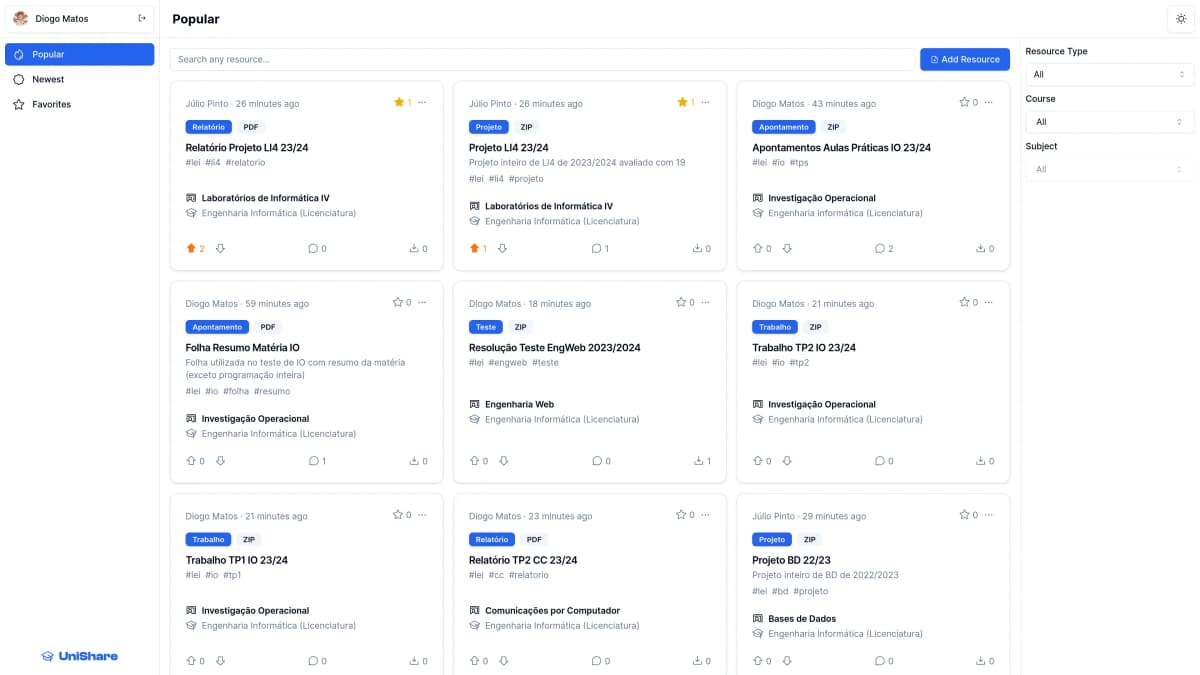
Finding Resources
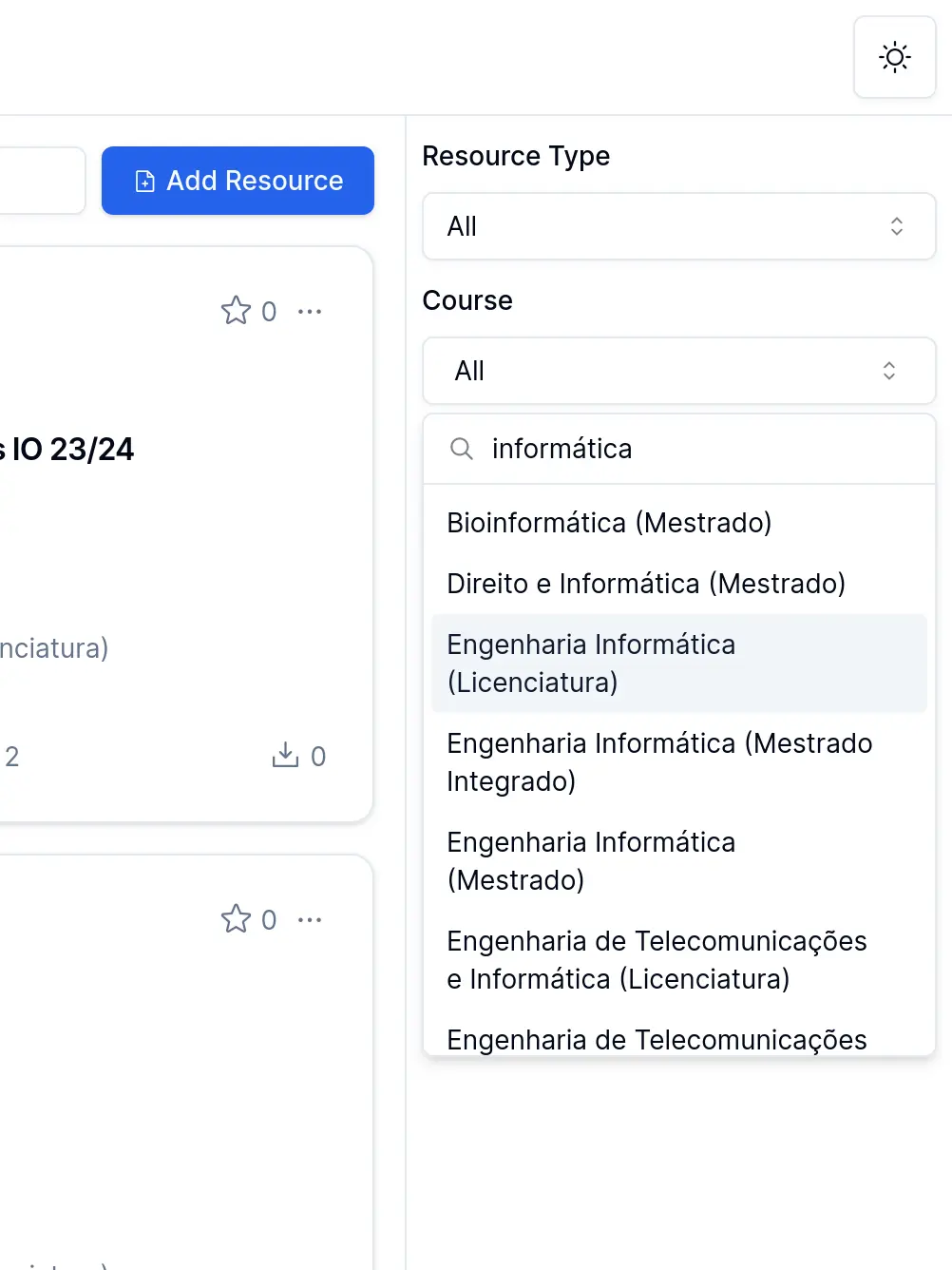
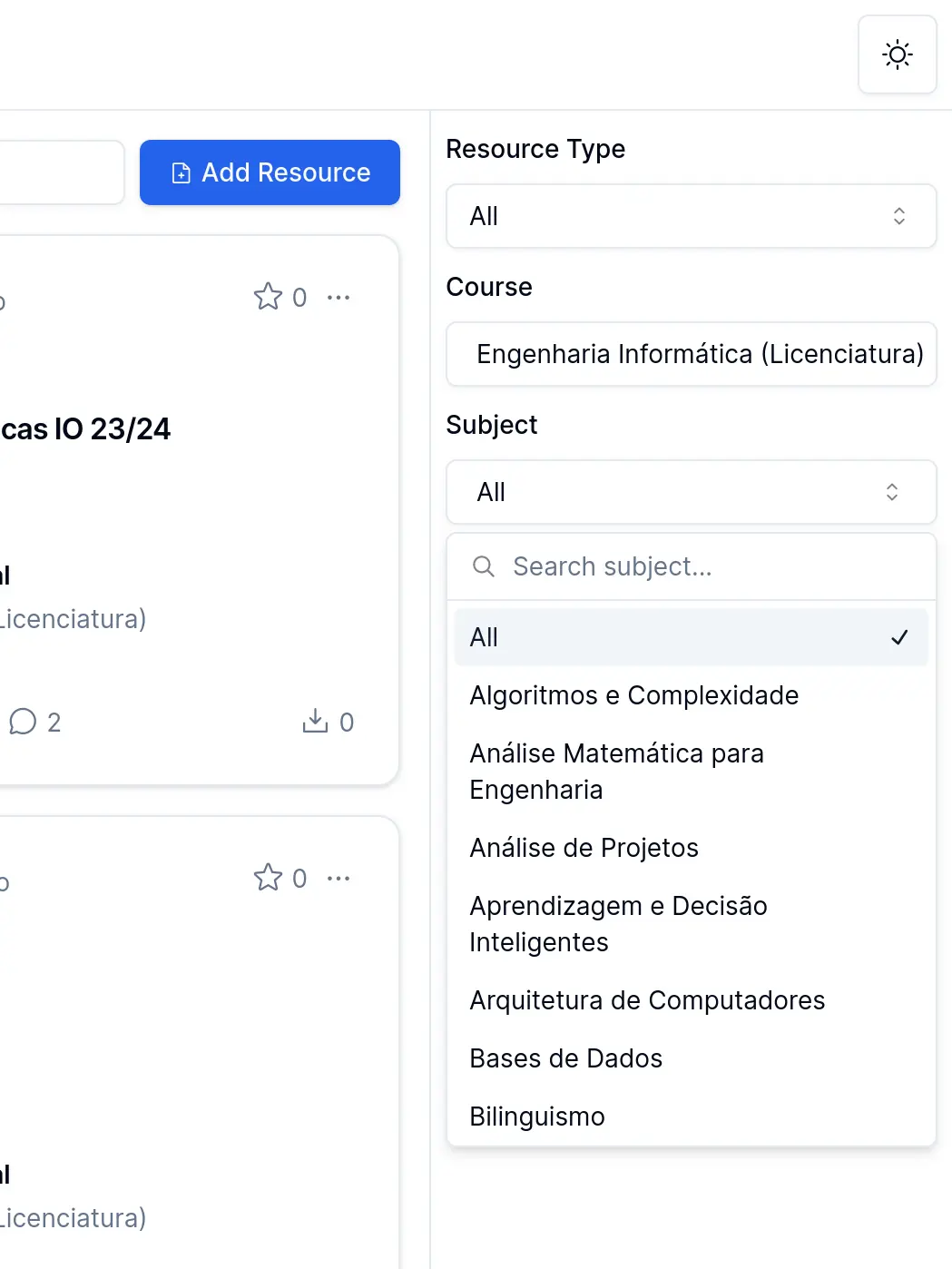
The search bar looks through every field of a resource, from its title, description and hashtags to its course, subject, type, author and even file format. Filters narrow it down by type, course or subject, each with its own search, which comes in handy with hundreds of courses to choose from.
| Course | Subject |
|---|---|
 |  |
Sharing a Resource
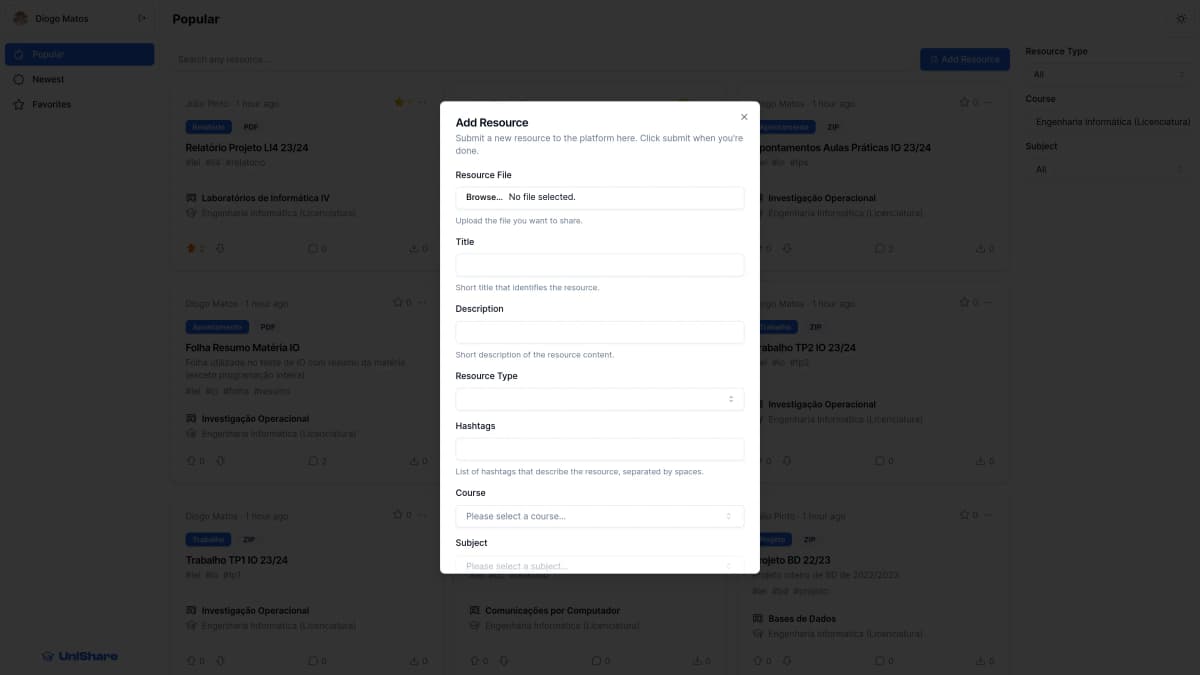
Sharing takes a single dialog: upload the file, give it a title, a type, a course and a subject, and optionally a description and some hashtags. Admins can even add new types, courses and subjects right from it.
Discussing It
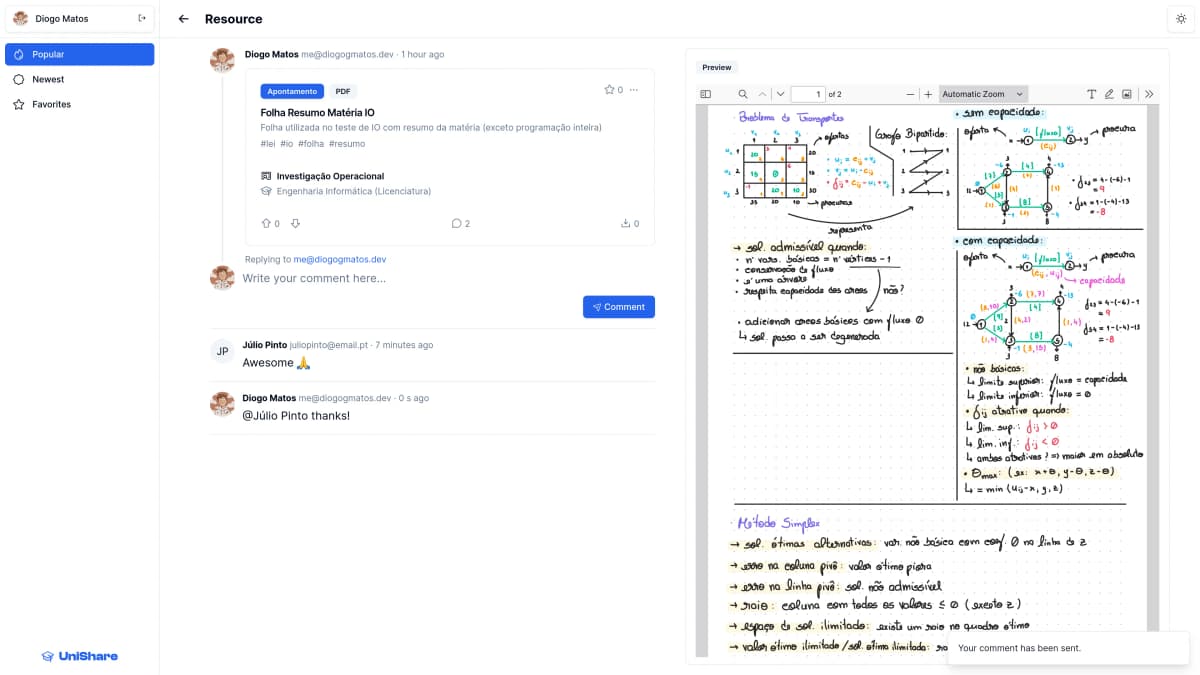
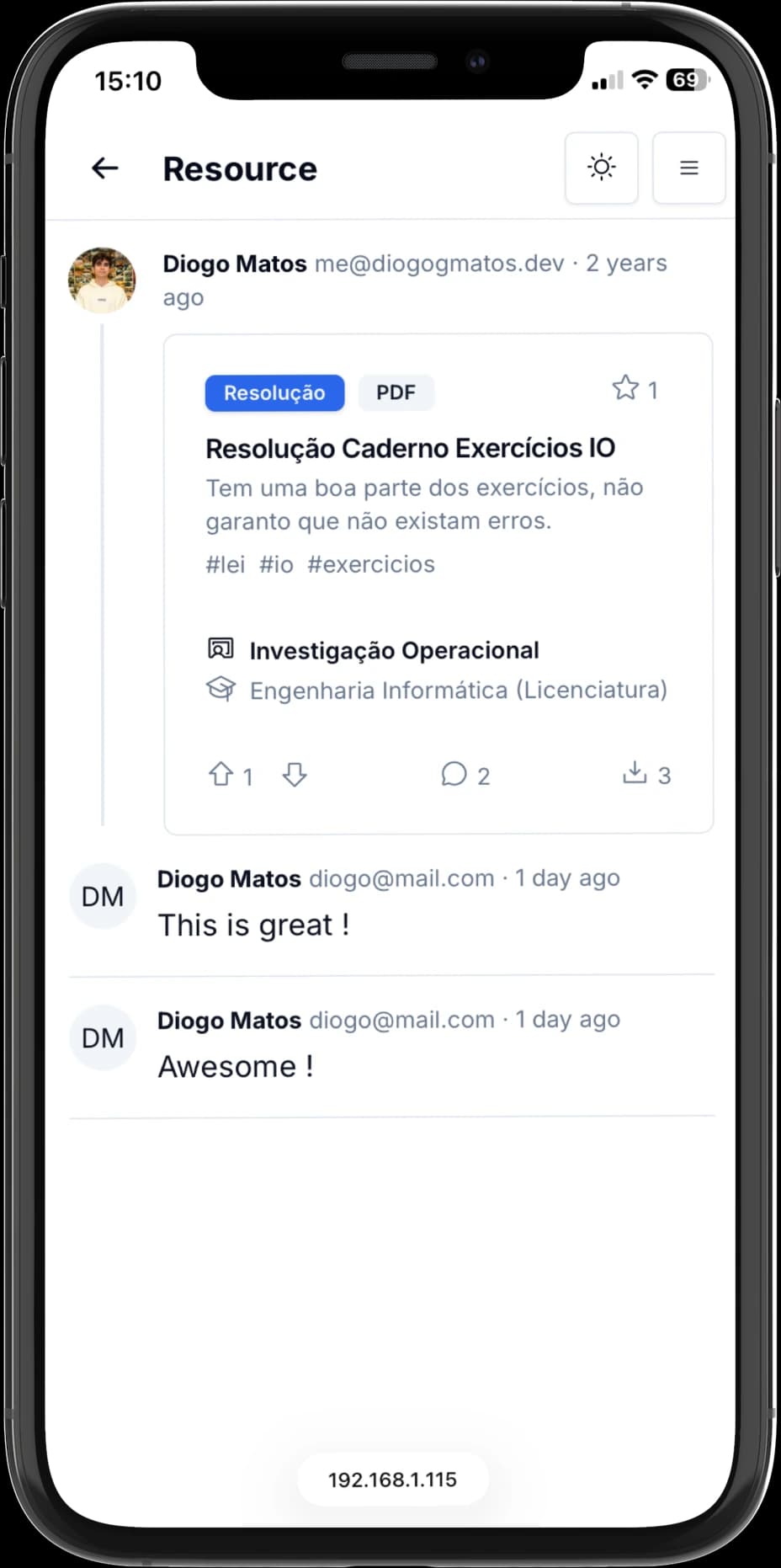
Every resource has its own page, with a preview of the file for PDFs and images, right next to its comments, where you can join the discussion or just leave a thank you.
Profiles
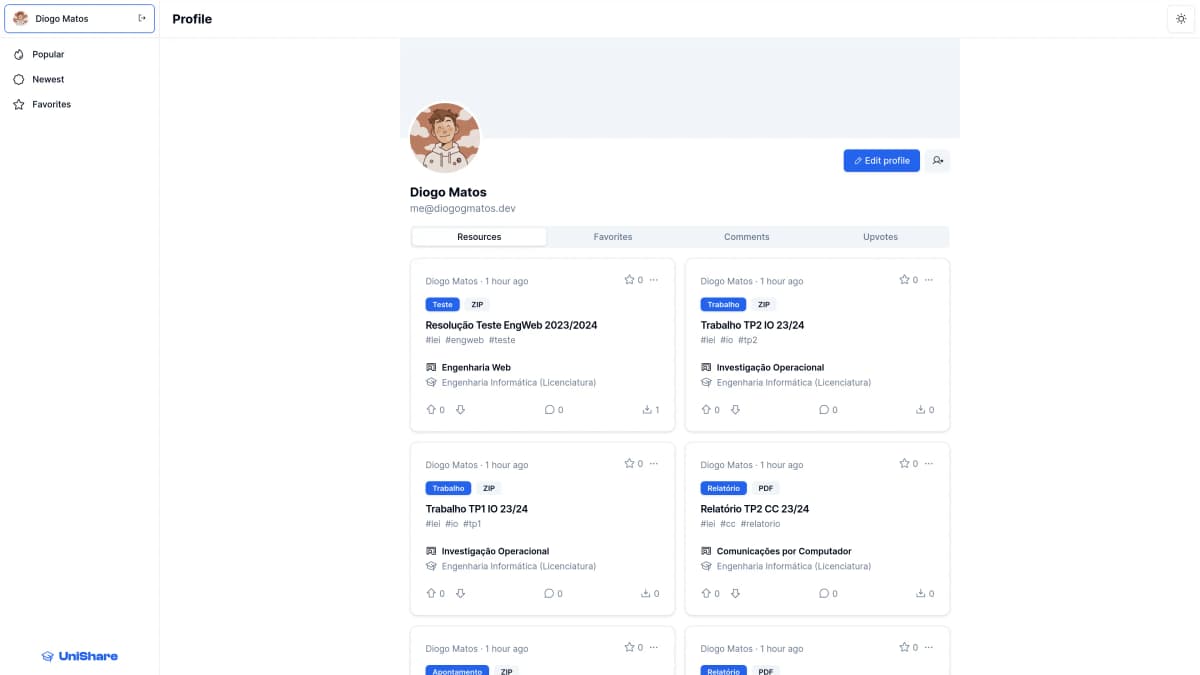
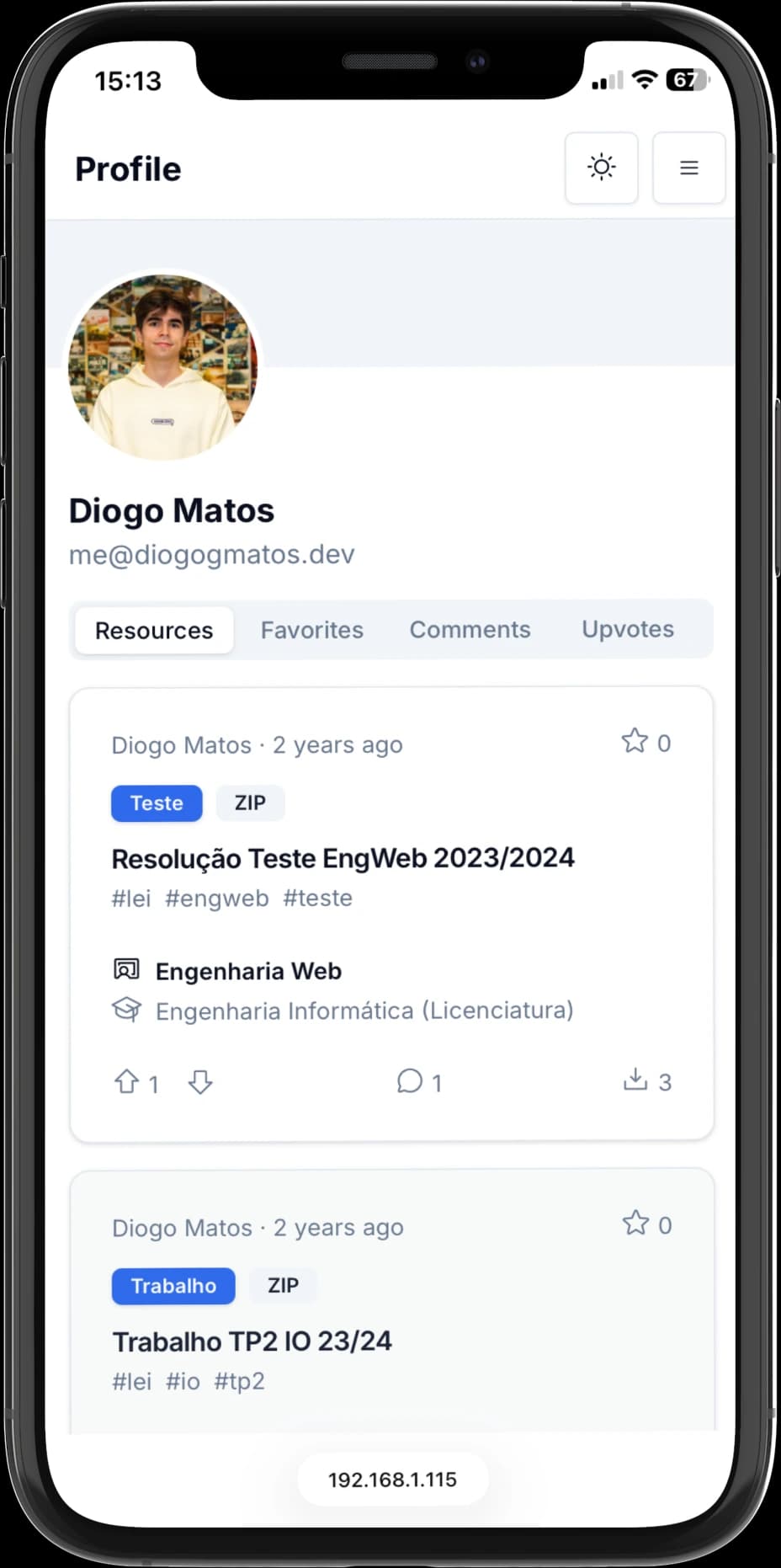
Click anyone's name to open their profile, with everything they've shared, favorited, commented on and upvoted. On your own profile, you can also edit your details and account settings.
On Any Screen
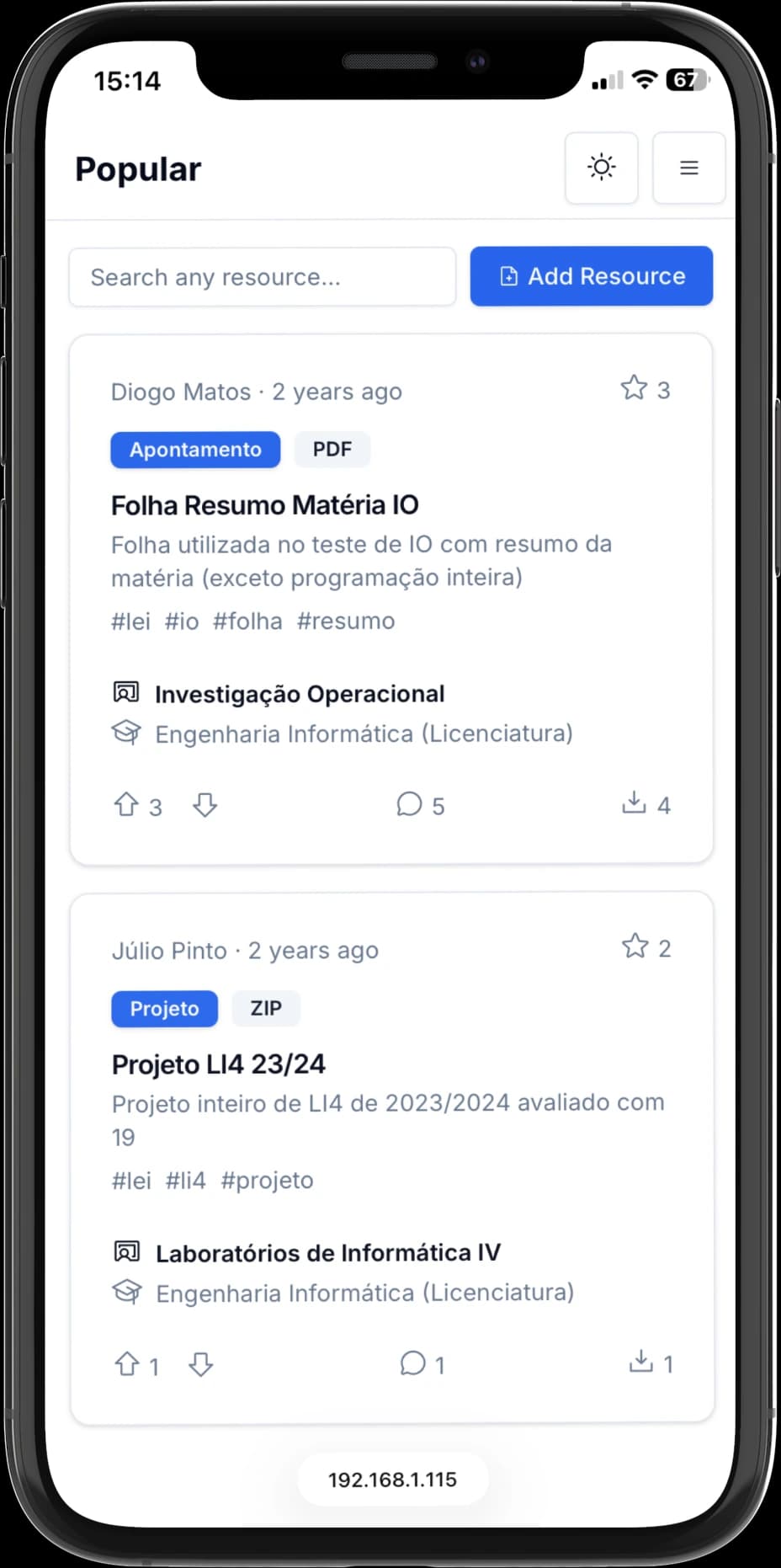
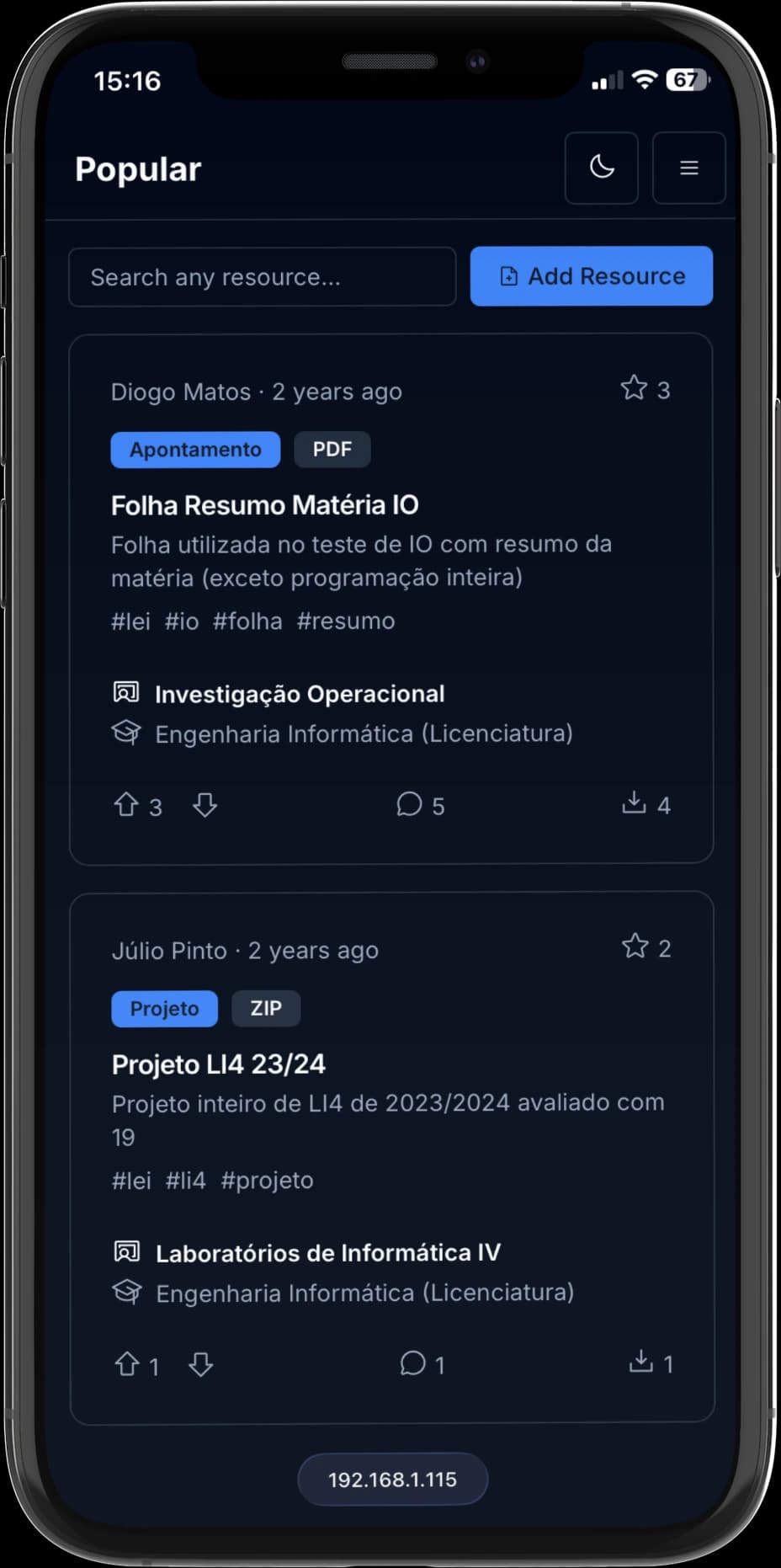
Since UniShare is a web app, it runs anywhere with a browser, and on a phone you can add it to your home screen to open it like any other app. It works just as well there, in a light or a dark theme:
And so does every other page, from profiles to resources:
What Makes a Resource Popular
The Popular feed ranks resources by a score that adds up everything people do with them. Not every interaction is worth the same, though: an upvote says a lot more than a download, and downvotes count against it.
- per upvote
- +1
- per favorite
- +0.6
- per comment
- +0.3
- per download
- +0.1
- per downvote
- −1
When two resources tie, the newest one goes first. All of these interactions are a tap away on every resource card:

Who Can Do What
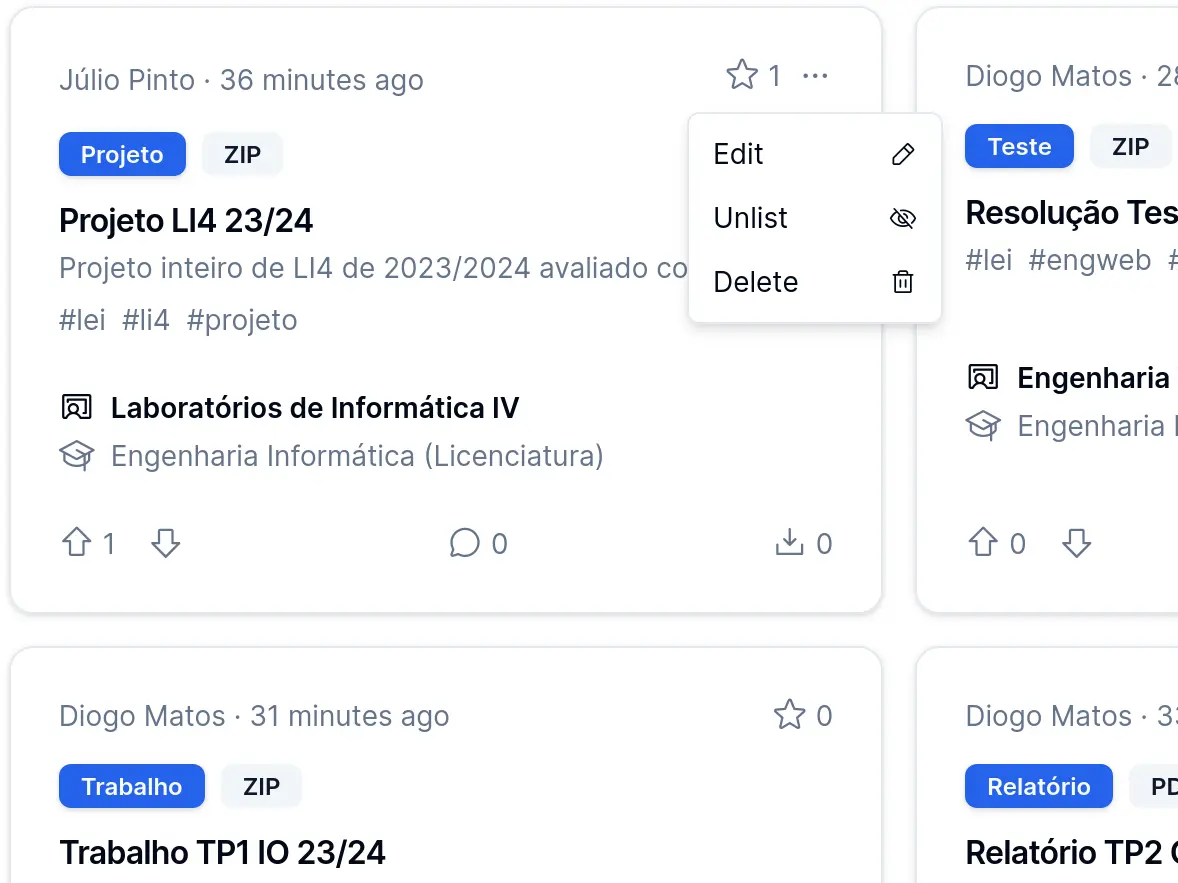
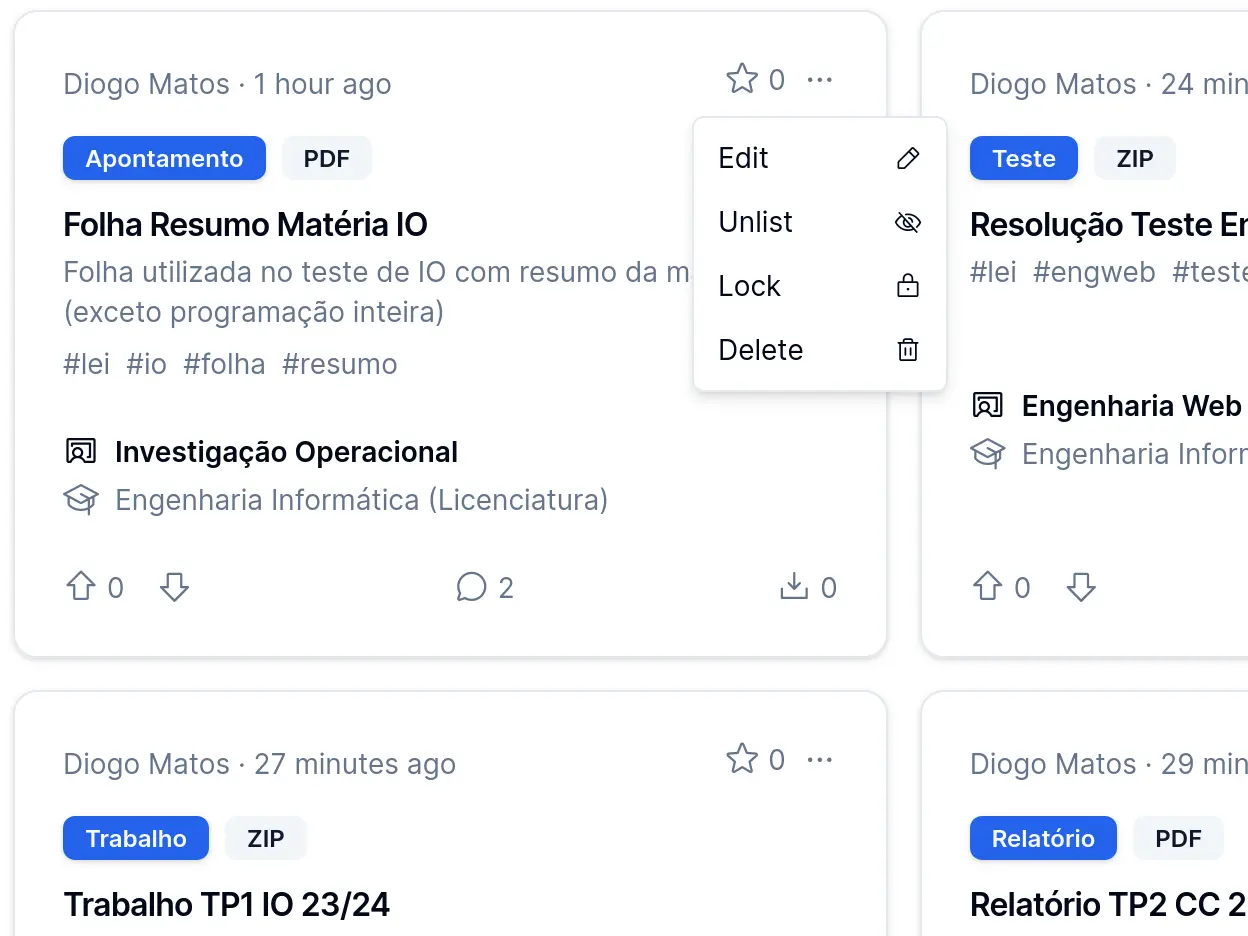
Here's the menu a member gets on their own resources, next to an admin's, which adds the option to lock them:
| Member | Admin |
|---|---|
 |  |
Under the Hood
- Next.js
- TypeScript
- Tailwind CSS
- shadcn/ui
- MongoDB
- NextAuth.js
- Docker
UniShare is a single Next.js app that serves both the pages and a REST API, backed by MongoDB. Users sign in with NextAuth.js, using an email and a password (hashed with bcrypt) or their GitHub account. Every list is paginated by the API itself, so only the current page is ever fetched, and two scripts can export or import a snapshot of the whole platform, database and files included, to keep backups.
It's also fully containerized: a single docker compose up starts the app and its MongoDB database, each in its own container, with the data kept in a volume between runs.
To make the course and subject filters useful from day one, we also wrote a scraper for the University of Minho's course catalog, which filled the database with every course and its subjects:
- courses
- 364
- subjects
- 4,000+
Want every feature and API endpoint in detail? It's all in the repository's README.